
Jellyfin-Newsletter's themes
You can customize your newsletter with already included themes, or use your own, locally on your machine.
Available themes
The following themes are available:
| Theme name | Preview |
|---|---|
classic | 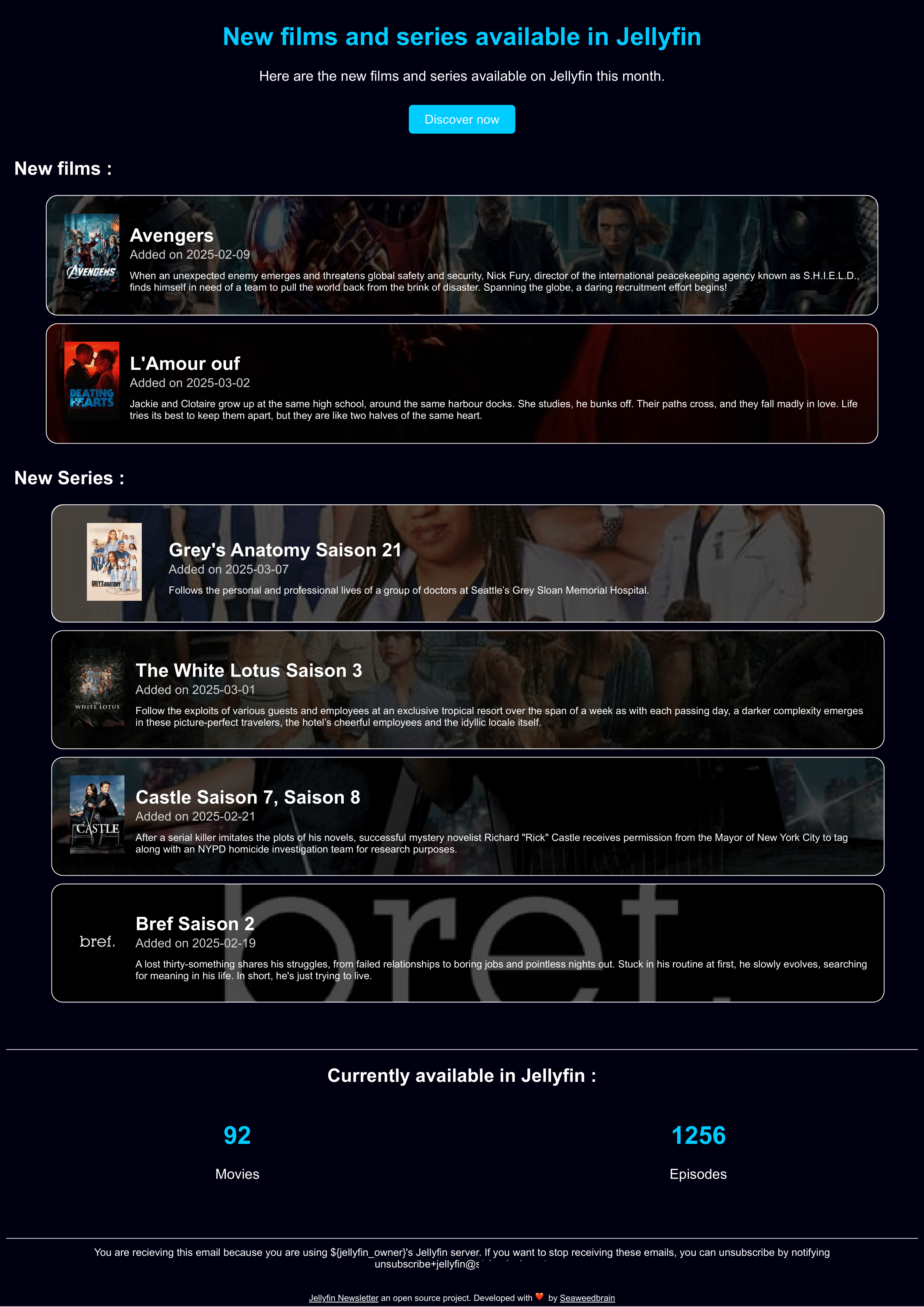 |
Not the themes your are looking for ? You can contribute a new one and help the entire community.
Use a local theme file
Jellyfin Newsletter ships with built-in embedded themes. Before a new theme gets merged into the official set, you can point Jellyfin Newsletter at your own local theme file instead.
Docker Compose
Instructions
To use a local theme file:
- Create the HTML theme file by following the theme creation guide.
- Store it in a directory (for example
my_themes) and name the HTML file after your theme (for exampledracula.htmlfor a theme nameddracula). - Mount that directory into the container (for example, mount
my_themesat/app/my_themes). - Update the entrypoint to pass the
-themes-dirflag pointing to that mount, e.g.:entrypoint: /app/entrypoint -config /app/config/config.yml -themes-dir /app/my_themes - Reference your theme name in
config.yml, e.g.theme: "dracula".
Full example
~/jellyfin-newsletter/my_themes/dracula.html:
<!doctype html>
<html lang="{{.HTMLLang}}" dir="{{.HTMLDir}}">
    <head>
    </head>
    <body>
         Your super theme
    </body>
</html>~/jellyfin-newsletter/config/config.yml:
[...]
email_template:
  theme: "dracula" # <-- HERE
  language: "en"
  subject: ""
  title: ""
  subtitle: ""
  jellyfin_url: ""
  unsubscribe_email: ""
  jellyfin_owner_name: ""
[...]~/jellyfin-newsletter/docker-compose.yml:
services:
  jellyfin-newsletter:
    container_name: jellyfin-newsletter
    image: "ghcr.io/seaweedbraincy/jellyfin-newsletter:1.0.0"
    environment:
      USER_UID: 1000
      USER_GID: 1000
      TZ: "America/Toronto"
    volumes:
      - "./config:/app/config"
      - "./my_themes:/app/my_themes" # <-- HERE
    entrypoint: /app/entrypoint -config /app/config/config.yml -themes-dir /app/my_themes # <-- HERE
And you're good to go!
TIP
If your local theme directory doesn't contain the theme referenced in your config file, Jellyfin Newsletter falls back to the default embedded themes. If the theme still can't be found, the script fails to start.
See also
- Configuration parameters — full
email_templatereference - Placeholders guide — dynamic values you can use inside your theme and config strings