What is Jellyfin Newsletter?
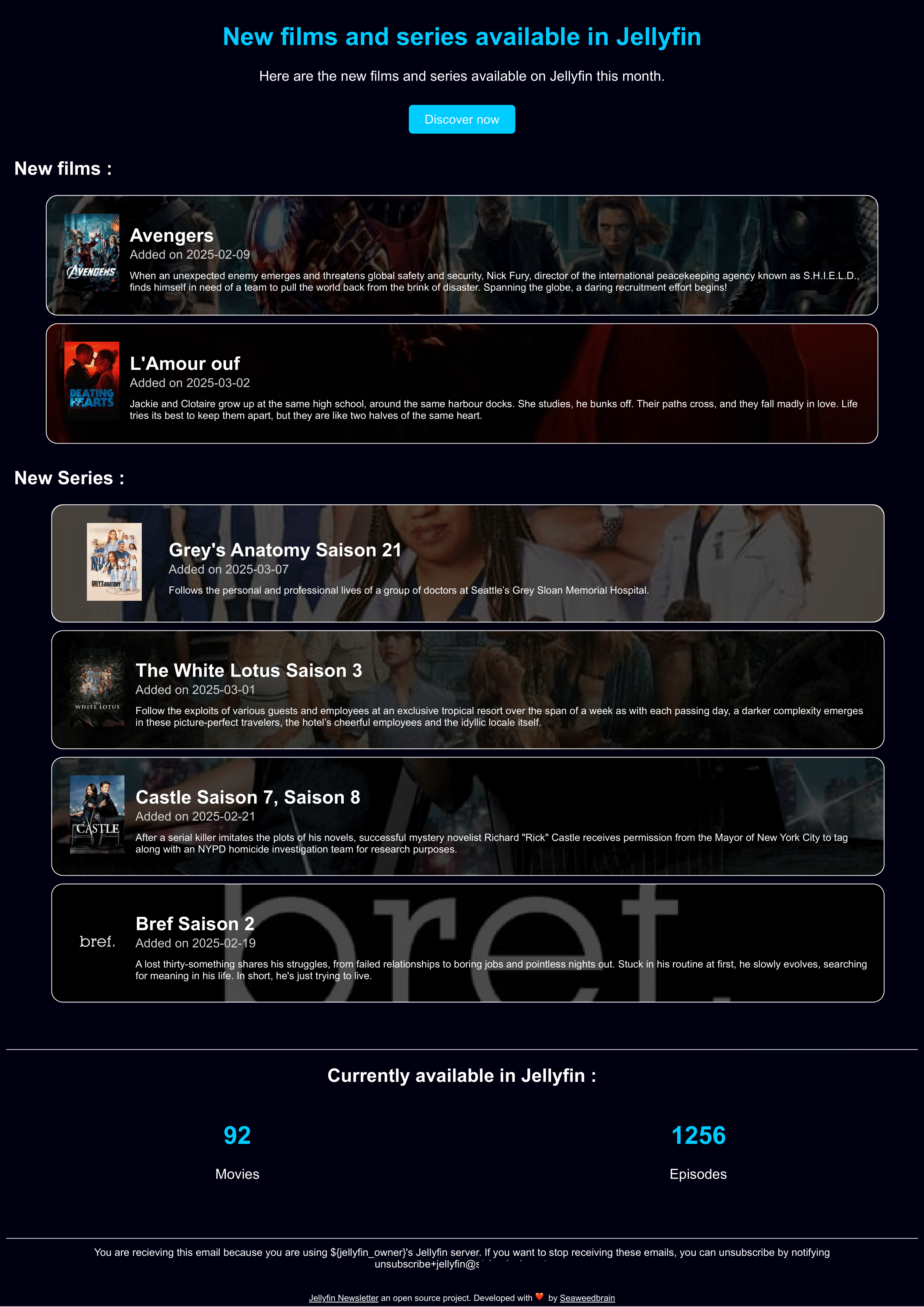
Jellyfin Newsletter is a small, self-hosted tool that emails your users a recap of what's new on your Jellyfin server.
It connects to the Jellyfin API, collects the recently added movies and TV shows, enriches them with metadata and posters from TMDB, renders them into a responsive HTML email, and sends it over your own SMTP server. Nothing else — no database, no web UI, no account to create.
Why use it
Jellyfin tells your users what's on the server. It doesn't tell them what showed up last week. If you run a server for family or friends, new additions tend to go unnoticed unless you message everyone yourself.
Jellyfin Newsletter closes that gap: it runs on a schedule, and your users get one clean email listing the new content.
What it does
- Pulls recently added movies and TV shows from your Jellyfin server
- Fetches details and posters from TMDB
- Groups TV show episodes by season instead of listing them one by one
- Renders a responsive, themeable HTML email
- Sends to a configured list of recipients through your SMTP server
- Watches only the folders you tell it to watch
- Ships translated in several languages
How it runs
The whole thing is a single Go binary, distributed as a Docker image. You give it one config.yml file and it does the rest.
There are two ways to schedule it:
- Built-in cron (recommended) — the container stays up and fires on the schedule defined in your config.
- External cron — the container runs once, sends, and exits. You trigger it from
crontab, systemd timers, or any task scheduler.
Both are covered in the installation guide.
What you'll need
| Requirement | Why |
|---|---|
| A Jellyfin server + API key | To read your libraries |
| A TMDB API key (free) | For posters and metadata |
| An SMTP server | To actually send the mail |
| Docker | To run it |
TIP
Pin a specific image version rather than latest, and upgrade deliberately. See the releases page.
Themes
Emails are rendered from themes. A Classic theme is embedded in the binary, and you can point the config at a local theme file to use your own without waiting for it to be merged upstream. See Themes.
Next steps
- Installation — get it running with Docker
- Configuration — every field in
config.yml - Themes — customize or write your own email template
License
AGPLv3. Contributions, issues and pull requests are welcome — see CONTRIBUTING.md.